
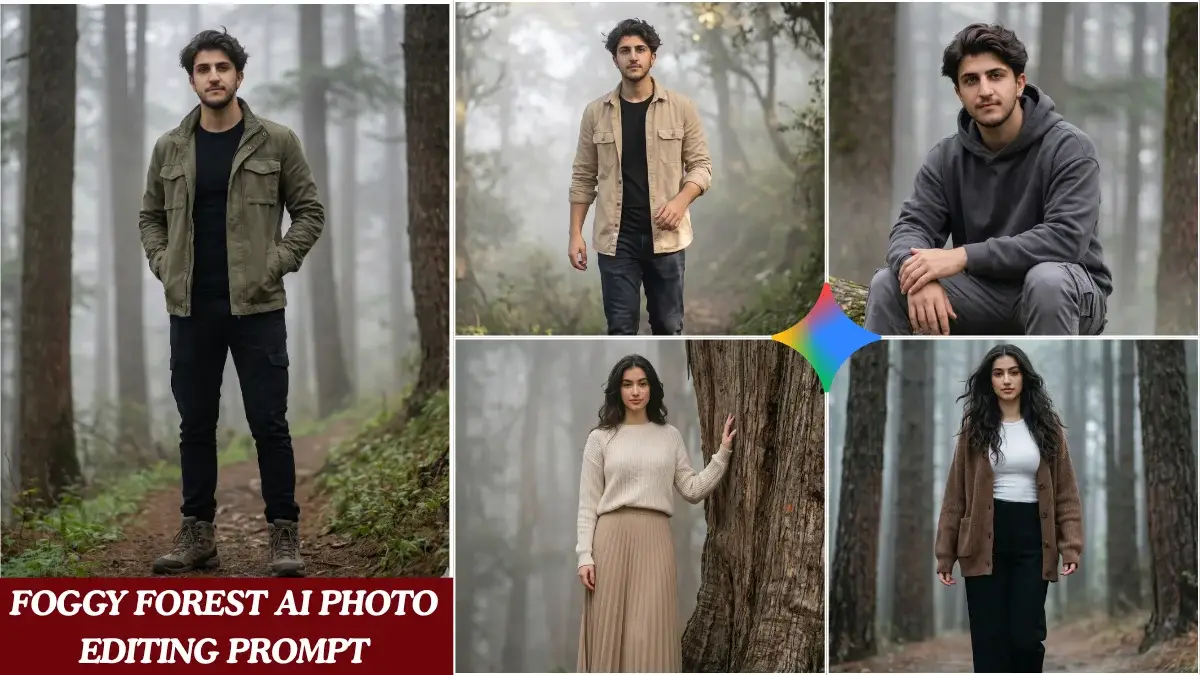
Stepping into a dense, misty forest often evokes a sense of wonder, mystery, and profound tranquility. These ethereal landscapes, long cherished by photographers and filmmakers, possess an undeniable cinematic quality. Capturing such an elusive atmosphere, however, traditionally demanded perfect natural conditions and skilled artistry.
Today, artificial intelligence offers an incredible shortcut, allowing creators to conjure these atmospheric scenes with just a few well-chosen words. AI image generators can transform simple text prompts into stunning visual masterpieces, bringing your misty woodland visions to life. It’s an exciting frontier for digital artists and enthusiasts alike.
This article dives deep into crafting the most effective **foggy forest AI photo editing prompts**. You’ll discover specific prompt structures and valuable techniques to generate truly cinematic misty forest shots, perfect for mood boards, digital art, or even professional projects. Get ready to unlock the full potential of AI for your atmospheric art.
- Crafting specific AI prompts is key to achieving desired cinematic foggy forest visuals.
- Understanding the core elements of a prompt, like subject, style, lighting, and atmosphere, is crucial.
- Different prompt structures can evoke varying moods, from ethereal and serene to dark and mysterious.
- Refining your prompts through iterative adjustments helps overcome common AI generation hurdles.
- Utilizing advanced techniques can significantly enhance the photorealism and artistic quality of your AI art.
The Enduring Allure of Misty Woodlands in Visual Art
The appeal of a foggy forest is universal, touching on primal emotions and a sense of the unknown. Filmmakers often use these settings to build suspense, suggest introspection, or simply create breathtaking beauty. Think of classic fantasy films or dramatic thrillers; a dense fog adds layers of intrigue.
From an artistic perspective, fog acts as a natural diffuser, softening light and simplifying backgrounds. This unique atmospheric condition can highlight textures, obscure distractions, and create a dreamlike quality that’s hard to replicate. It transforms ordinary landscapes into extraordinary visual poems.
AI art generators excel at interpreting these atmospheric cues, but they need clear direction. Without precise instructions, you might end up with generic or uninspired results. The secret lies in understanding how to “speak” to the AI effectively, guiding its creative process toward your specific vision.
“A well-crafted AI prompt isn’t just a command; it’s a conversation with a powerful creative engine, guiding it towards your artistic intention.” – AI Art Director’s Handbook
Deconstructing the Perfect AI Prompt for Atmospheric Scenes
Before diving into specific examples, let’s break down what makes an effective AI prompt. Most successful prompts for complex scenes like a foggy forest combine several key elements. These components tell the AI exactly what to focus on and how to render it.
Consider the interplay of subject, environment, lighting, atmosphere, style, and technical details. Each element contributes significantly to the final output. Learning to manipulate these variables gives you granular control over your AI-generated images.
Here’s a general framework that often yields impressive results:
- Subject: What is the main focus? (e.g., “ancient oak trees,” “a winding path,” “a lone figure”).
- Environment: Details about the setting. (e.g., “dense forest,” “moss-covered ground,” “rocky terrain”).
- Atmosphere: Crucial for foggy scenes. (e.g., “heavy mist,” “ethereal fog,” “low-lying haze,” “sunlight piercing through”).
- Lighting: How light interacts with the scene. (e.g., “soft morning light,” “dramatic backlighting,” “moonlit,” “golden hour”).
- Style/Mood: The artistic direction. (e.g., “cinematic,” “photorealistic,” “dark fantasy,” “impressionistic”).
- Technical Details: Camera, lens, resolution. (e.g., “wide-angle lens,” “bokeh effect,” “8K resolution,” “film grain”).
| Prompt Element | Impact on Image | Example Keywords |
|---|---|---|
| Atmosphere | Controls fog density, type, and movement. | mist, haze, dense fog, ethereal vapor, swirling clouds, low-lying, mystical, smoky |
| Lighting | Defines mood, shadows, and highlights. | golden hour, dawn, twilight, dappled light, volumetric lighting, rim light, moody, overcast, sun rays, cinematic lighting |
| Setting Details | Adds specific environmental features. | ancient trees, gnarled roots, mossy rocks, forgotten path, overgrown ruins, crystal clear stream, dark woods |
| Camera/Lens | Affects perspective, depth, and realism. | wide shot, close-up, telephoto, 35mm, 85mm, bokeh, shallow depth of field, cinematic aspect ratio, film grain |
| Art Style | Determines the overall aesthetic. | photorealistic, hyperrealistic, concept art, dark fantasy, impressionistic, oil painting, studio Ghibli style |
Top 5 Cinematic Foggy Forest AI Prompts
Here are five highly effective **foggy forest AI photo editing prompts** designed to produce stunning, cinematic results. Remember, these are starting points; feel free to modify them to match your specific artistic vision.
1. Ethereal Morning Mist
This prompt aims for a serene, almost magical quality, focusing on soft light and gentle fog. It’s perfect for creating images that evoke peace and wonder. The key here is the “volumetric lighting” and “dappled sunlight.”
Prompt: “A serene, ancient forest at dawn, bathed in soft, ethereal morning mist. Volumetric lighting, dappled sunlight piercing through dense canopy, creating glowing rays. Tall, moss-covered trees, a winding, barely visible path, shallow depth of field, cinematic photography, 8K, highly detailed, tranquil atmosphere.”
- Emphasizes softness and natural light.
- “Volumetric lighting” is critical for visible light rays in fog.
- “Shallow depth of field” helps focus the viewer’s eye.
2. Mysterious Ancient Woods
For a darker, more intriguing mood, this prompt focuses on gnarled trees, deep shadows, and a sense of hidden history. It’s ideal for fantasy or suspenseful themes. The “gnarled trees” and “heavy, swirling fog” are central.
Prompt: “A mysterious, ancient forest, deep in heavy, swirling fog. Gnarled, twisted trees with thick branches, dark, overgrown undergrowth, and moss-covered ruins partially visible. Moody, dramatic lighting, low angle shot, cinematic wide-angle, film noir aesthetic, photorealistic, high contrast, unsettling atmosphere.”
- Creates a sense of intrigue and age.
- “Film noir aesthetic” adds to the dramatic, high-contrast look.
- “Low angle shot” enhances the grandeur and mystery of the trees.
3. Golden Hour Through the Haze
This prompt leverages the beautiful warm tones of the golden hour, combined with a lighter haze, to create a dreamy and inviting scene. It’s about warmth and subtle drama. The “golden hour light” and “soft haze” are the stars.
Prompt: “A beautiful forest during golden hour, with a gentle, soft haze filtering the sunlight. Warm, radiant light illuminating tree trunks and fallen leaves, creating long shadows. A small, clear stream reflecting the light, cinematic photography, bokeh background, 50mm lens, vibrant colors, dreamy quality.”
- Highlights warm color palettes and diffused light.
- “Bokeh background” helps isolate subjects and adds artistic blur.
- “Vibrant colors” helps the golden hues stand out against the haze.
4. Moody, Desaturated Realism
Sometimes, a more grounded, almost documentary-style approach is desired, with muted colors and stark realism. This prompt prioritizes detail and a slightly desaturated, gritty feel. “Desaturated colors” and “gritty texture” are key.
Prompt: “A dense, realistic forest on an overcast day, thick with a uniform, heavy fog. Desaturated colors, stark branches, wet ground, and visible textures on tree bark and fallen leaves. Shot on a vintage film camera, gritty texture, natural light, deep focus, photorealistic, documentary style, moody and raw.”
- Focuses on authenticity and raw atmosphere.
- “Vintage film camera” and “gritty texture” add a classic, analog feel.
- “Deep focus” ensures detail across the scene, unlike shallow depth of field.
5. Fantasy-Inspired Deep Fog
For those who want to push the boundaries into fantastical realms, this prompt adds elements of magic and heightened reality. It’s about creating a scene that feels otherworldly. “Bioluminescent flora” and “deep, swirling magical fog” are the distinguishing features.
Prompt: “A mystical, ancient forest shrouded in deep, swirling magical fog. Towering, otherworldly trees with glowing runes, bioluminescent flora illuminating the ground. A faint, ethereal light source in the distance, dramatic and surreal atmosphere, highly detailed concept art, wide shot, vibrant fantasy colors, epic scale.”
- Introduces fantastical elements like glowing plants and runes.
- “Concept art” style allows for more imaginative interpretations.
- “Epic scale” suggests a grand, expansive scene.
Elevating Your AI Art: Advanced Prompting Techniques
Generating a good image is one thing; generating a truly *great* image requires refinement. Don’t be afraid to iterate on your **foggy forest AI photo editing prompts**. Small tweaks can make a huge difference.
Tips for Refinement:
- Negative Prompts: Tell the AI what *not* to include (e.g., “–ugly, –blurry, –deformed hands, –cartoonish”).
- Weighting: Some platforms allow you to assign weights to keywords (e.g., “dense fog::1.5” to emphasize fog more).
- Style References: Mention specific artists, photographers, or film directors (e.g., “in the style of Ansel Adams,” “cinematography by Roger Deakins”).
- Aspect Ratio: Specify common cinematic aspect ratios like 16:9 or 21:9 to enhance the filmic feel.
- Iterative Generation: Generate multiple versions of an image, pick the best one, and use its seed number (if available) to generate variations.
Common Challenges and Troubleshooting Your Foggy Forest Prompts
Even with expert prompts, AI art generation can sometimes be unpredictable. Here are some common issues you might encounter and how to address them:
- Too Much or Too Little Fog: Adjust the intensity keywords. Try “dense fog,” “light mist,” “barely visible haze,” or specific percentages if your AI tool supports it.
- Generic Trees: Be more specific with tree types (e.g., “ancient redwoods,” “gnarled oak,” “birch trees”). Add descriptive adjectives like “towering,” “twisted,” or “moss-covered.”
- Lack of Cinematic Feel: Add camera lens details (e.g., “anamorphic lens,” “wide-angle,” “bokeh,” “shallow depth of field”), lighting cues (“volumetric lighting,” “rim light”), and style modifiers (“cinematic,” “film still”).
- Unnatural Colors: Specify color palettes (“muted tones,” “earthy greens,” “vibrant autumn colors”) or lighting conditions (“overcast,” “golden hour”) to guide the AI.
- “AI Look”: Combat this by adding realism-focused keywords (“photorealistic,” “hyperrealistic,” “unreal engine,” “octane render”) and negative prompts against common AI artifacts.
Frequently Asked Questions
What AI image generators work best for foggy forest scenes?
Most modern AI image generators like Midjourney, DALL-E 3, Stable Diffusion, and even Gemini are capable of creating excellent foggy forest scenes. Their performance can vary, so it’s worth experimenting with different platforms to see which aligns best with your artistic style and desired output quality.
How can I ensure the fog looks realistic and not just a white blur?
To achieve realistic fog, focus on adding descriptors that imply depth and interaction with light. Use terms like “volumetric lighting,” “sun rays piercing through fog,” “layers of mist,” and “softly diffused light.” Also, ensure you specify a photographic or realistic art style.
Can I add specific elements like animals or structures into my foggy forest prompt?
Absolutely! Simply integrate these elements into your prompt. For example: “A lone deer standing in a foggy forest,” or “An abandoned cabin partially obscured by mist in an ancient woodland.” Be specific about their placement or interaction with the fog.
What resolution should I aim for when generating AI art for printing?
For printing, higher resolutions are always better. Many AI tools can generate images at resolutions up to 1024×1024 or higher. For professional prints, you might need to use upscaling tools after generation. Aim for at least 2000px on the longest side for decent small prints.
How do I make my AI-generated foggy forest images unique and avoid generic results?
To ensure uniqueness, combine specific details in your prompts. Instead of just “foggy forest,” try “ancient redwood forest with bioluminescent moss and a hidden waterfall, bathed in golden hour mist.” Experiment with unusual angles, lighting, and stylistic blends to differentiate your creations.
Conclusion
The ability to conjure stunning, cinematic foggy forest scenes through AI is a remarkable tool for any visual creator. By mastering the art of prompt engineering, you can direct powerful algorithms to manifest your most atmospheric visions. It’s about precision, creativity, and a willingness to experiment.
Remember that each word in your prompt acts as a brushstroke, guiding the AI’s interpretation. Use the structured examples and techniques discussed here as a springboard for your own explorations. The world of AI art is vast and full of potential, waiting for your unique touch. Now, go forth and create some truly breathtaking misty masterpieces!